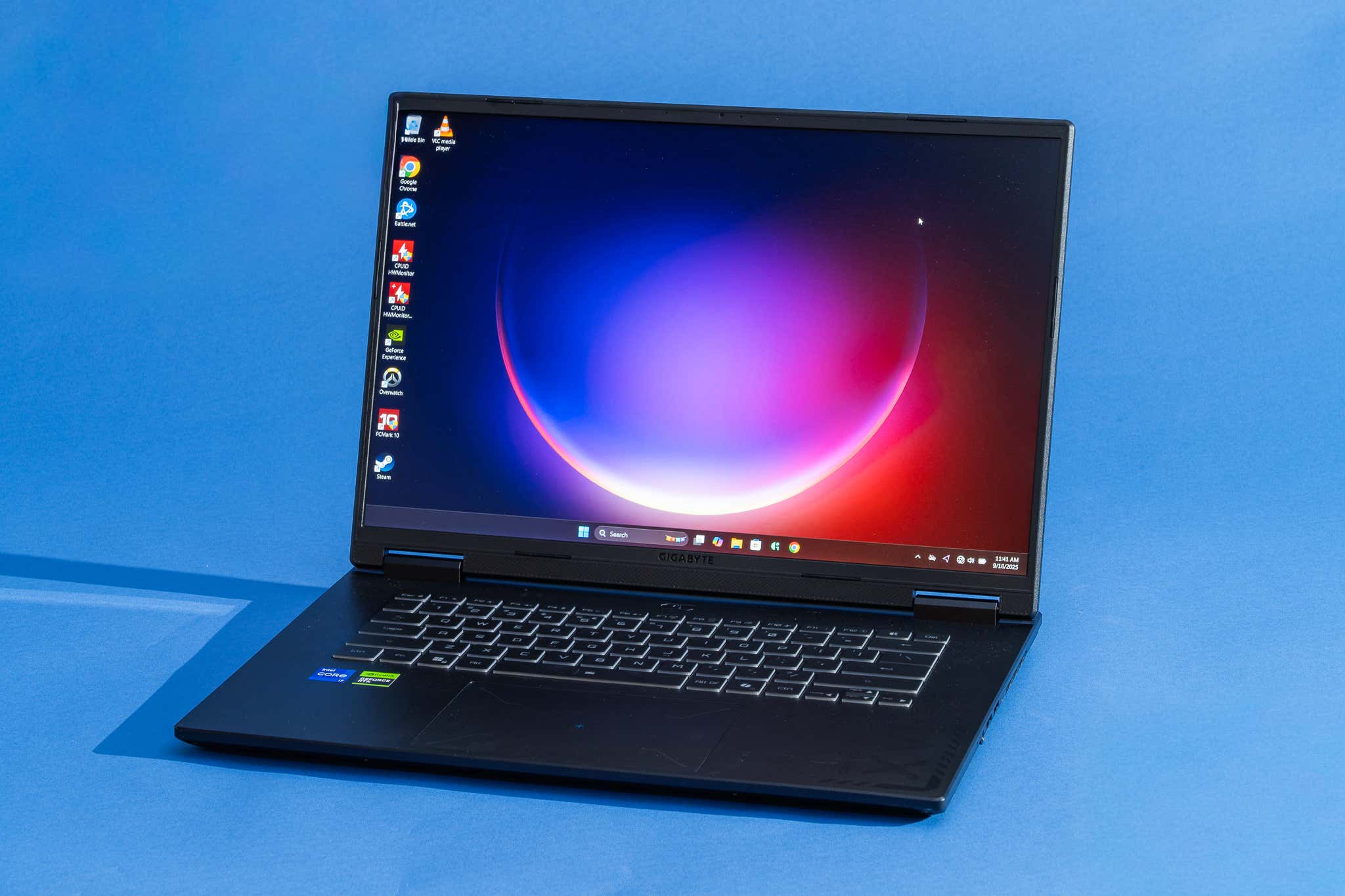
How we picked these laptops
Finding a budget gaming laptop under $1,000 requires balancing raw power with thermal efficiency. Our selection process prioritizes devices that deliver smooth 1080p gaming without forcing you to compromise on build quality or battery life. We filtered out models that rely on outdated GPUs or screens that struggle to maintain a consistent frame rate.
The core of our selection rests on two pillars: display refresh rate and graphics capability. We require a minimum of 144Hz for the screen, ensuring that fast-paced shooters and competitive titles feel responsive. For graphics, we look for the latest entry-level NVIDIA RTX options, specifically the RTX 40 series (like the 4050 or 4060) or the newly released RTX 50 series if available within the budget. These cards offer DLSS 3 support, which significantly boosts performance in modern titles.
We also evaluate thermals and port selection. A powerful GPU is useless if it throttles under load. We prefer laptops with robust cooling solutions and a good selection of ports, including USB-C with display output and HDMI 2.1, so you can connect external monitors and peripherals without dongles. This approach ensures that every laptop on this list is built for actual daily gaming, not just benchmark scores.
Best budget gaming laptop overall
The Acer Nitro V 16 AI takes the top spot for the best budget gaming laptop in 2026. It strikes the most balanced compromise between raw performance, build quality, and price. While other options might offer slightly better screens or battery life, the Nitro V 16 AI delivers the most consistent gaming experience for the money.
This laptop features an AMD Ryzen processor paired with an NVIDIA GeForce RTX 40-series GPU, a combination that handles modern titles at 1080p with high settings. The chassis is sturdy enough for daily transport, and the cooling system manages thermal throttling better than many competitors in this price bracket. You can occasionally find prices dipping as low as $629, making it a standout value.
If you prioritize raw power per dollar above all else, this is the model to buy. It avoids the premium tax on aesthetics while keeping the essential components strong. For those looking to compare it against other top contenders, we have listed the best options below.


As an Amazon Associate, we may earn from qualifying purchases.
Best budget gaming laptops for high refresh rates
A smooth display matters just as much as raw horsepower for competitive gaming. While many budget laptops settle for 60Hz panels, several models under $1,000 now offer 144Hz or 165Hz screens. These higher refresh rates reduce motion blur and make fast-paced shooters feel significantly more responsive.
The MSI Katana 15 HX stands out as a top contender in this category. PCMag highlights the Katana as their current top budget-friendly pick, largely due to its ability to balance performance with a smoother visual experience. It delivers the high frame rates needed to make that 144Hz panel shine without breaking the bank.
For those seeking even more fluidity, the Acer Nitro V 16S AI offers a compelling alternative. Tom's Hardware lists this model as a leading budget option, noting its strong value proposition for gamers who prioritize screen smoothness. Its 16-inch display provides ample space to appreciate the difference between 60Hz and 165Hz.
Best for battery life and portability
Most budget gaming laptops are heavy bricks designed to stay plugged in. Their large batteries and power-hungry components drain quickly when you leave the house, often lasting only a few hours on a single charge. If you need a machine that doubles as a portable workhorse for classes or travel, you should look for models that prioritize efficiency over raw wattage.
The Acer Nitro V 16 AI stands out by offering up to 12 hours of battery life in light use scenarios, a rare feat for a machine in this price range. While it won't sustain AAA gaming performance on battery power, it handles web browsing and document editing effortlessly, making it a practical choice for students or commuters who want one device for everything.
For those who need a slightly more premium build and OLED display without sacrificing too much mobility, the Gigabyte Aero X16 is a strong contender. It is lighter than traditional gaming rigs and offers better screen quality, though its battery life is shorter than the Acer. Choose the Acer for maximum endurance; choose the Aero for a better viewing experience when unplugged.
RTX 50 series laptop deals to watch
The Nvidia RTX 50 series is just beginning to trickle into the sub-$1000 market, shifting the budget landscape for 2026. While flagship models dominate early headlines, the real opportunity lies in the entry-level variants like the RTX 5050 and 5060. These chips offer a significant generational leap in ray tracing and DLSS 4 performance without the premium price tag of their higher-end siblings.
Availability remains the biggest hurdle right now. Most budget RTX 50 series laptops are launching at or slightly above the $1,000 mark. However, retailers are already adjusting prices on early adopter models. If you are patient, you can likely find deals on these newer GPUs dropping below the $1,000 threshold within the first half of the year.
When evaluating these new options, focus on the specific GPU model rather than just the laptop brand. An RTX 5060 in a budget chassis often outperforms an RTX 4070 in a premium one due to architectural efficiency. Keep an eye on the MSI Katana and Lenovo LOQ lines, which have historically been the most aggressive with RTX 50 series pricing in the budget segment.
Current Best Budget Picks
While you wait for RTX 50 series prices to stabilize, these models remain the strongest performers under $1,000 today.


As an Amazon Associate, we may earn from qualifying purchases.
Frequently asked: what to check next
What to check before buying
Picking a budget gaming laptop under $1000 is less about raw power and more about avoiding bottlenecks. You are trading premium materials for performance, so you need to verify that the core components won't hold you back during intense sessions. Focus on three concrete areas: the GPU tier, thermal management, and upgradeability.
Verify the GPU tier
Not all "gaming" GPUs are created equal in this price range. A budget laptop might advertise a dedicated graphics card, but if it is an older or lower-wattage model, it will struggle with modern titles. Look for current-generation RTX 3050 or RTX 4050 variants with at least 6GB of VRAM. Avoid integrated graphics for serious gaming, and steer clear of older GTX 1650 models if you want longevity. The GPU is the heart of your gaming experience; a weak one cannot be fixed by software updates.
Check thermal design and sustained performance
Budget laptops often cut corners on cooling, leading to thermal throttling where the CPU slows down to prevent overheating. This results in stuttering frames during long gaming sessions. Research specific models to see if they have adequate vents and heat pipes. For example, users frequently praise the Lenovo Legion Pro 7i for its superior cooling and sustained performance, noting that it handles heat better than many competitors in the same bracket. A laptop that stays cool will maintain higher frame rates for longer.
Assess upgradeability
One of the biggest advantages of a laptop over a desktop is portability, but one of the biggest disadvantages is fixed hardware. Before you buy, check if the RAM and storage are user-upgradeable. Many thin-and-light budget models solder the RAM directly to the motherboard, meaning you are stuck with whatever you buy. Look for models with accessible SODIMM slots for RAM and at least one M.2 SSD slot. This allows you to add more memory or storage later, extending the life of your machine without buying a whole new laptop.
Warranty and support
Finally, consider the warranty. Budget devices may have higher failure rates due to cheaper components. A standard one-year warranty is common, but some brands offer extended options. Check if the manufacturer provides easy access to drivers and BIOS updates. A brand that supports its products with regular software patches will keep your laptop running smoothly for years.
Common questions about budget gaming laptops
Is an RTX 50 series GPU necessary for a budget gaming laptop? Not yet. The RTX 50 series is still rolling out, and current budget picks like the MSI Katana 15 HX or Lenovo LOQ 15 Gen 10 rely on powerful RTX 40-series chips. These cards handle 1080p gaming at high settings comfortably, making a wait for next-gen hardware unnecessary for most players.
Do I need a 144Hz display for gaming? A 144Hz screen is the sweet spot for budget gaming. It delivers smooth motion in fast-paced titles like Valorant or Call of Duty without the premium price tag of 240Hz panels. Lower refresh rates can feel choppy during competitive play, so prioritizing this spec is worth it.
Can I upgrade the RAM or storage later? Most budget models, including the Acer Nitro V 16 AI, allow easy upgrades. Adding more RAM or swapping in a larger SSD extends the laptop's lifespan. Check the specific model's teardown guides to confirm access, but modular components are standard in this price range.
No comments yet. Be the first to share your thoughts!