Finding affordable handheld pc games in 2026
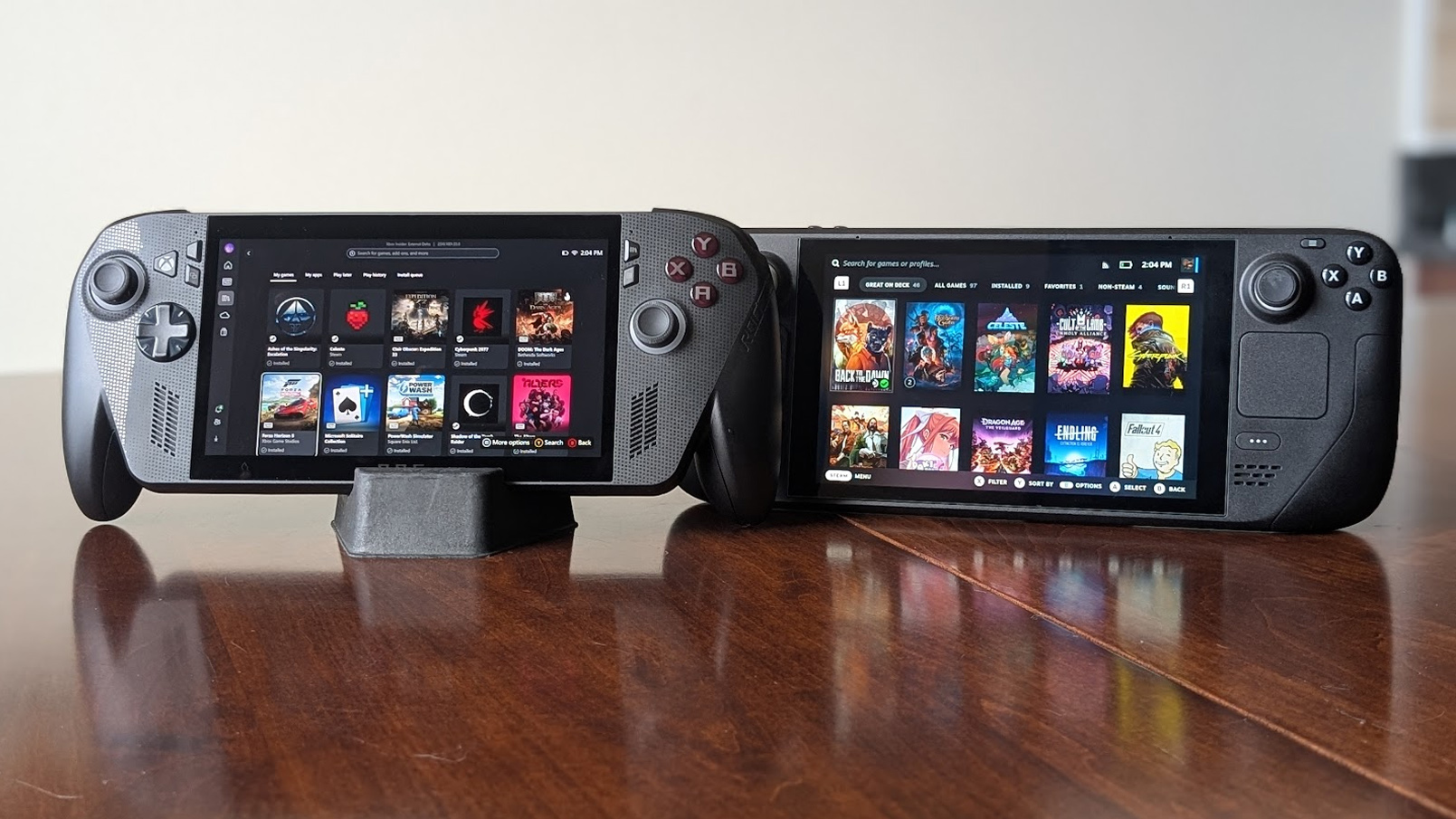
The handheld PC market in 2026 has shifted from a niche hobby to a mainstream entertainment option, but price sensitivity remains a major factor for many buyers. With devices like the ROG Xbox Ally and Switch 2 competing for attention, the value proposition of Steam Deck and similar handhelds often hinges on the cost of the software library rather than just the hardware.
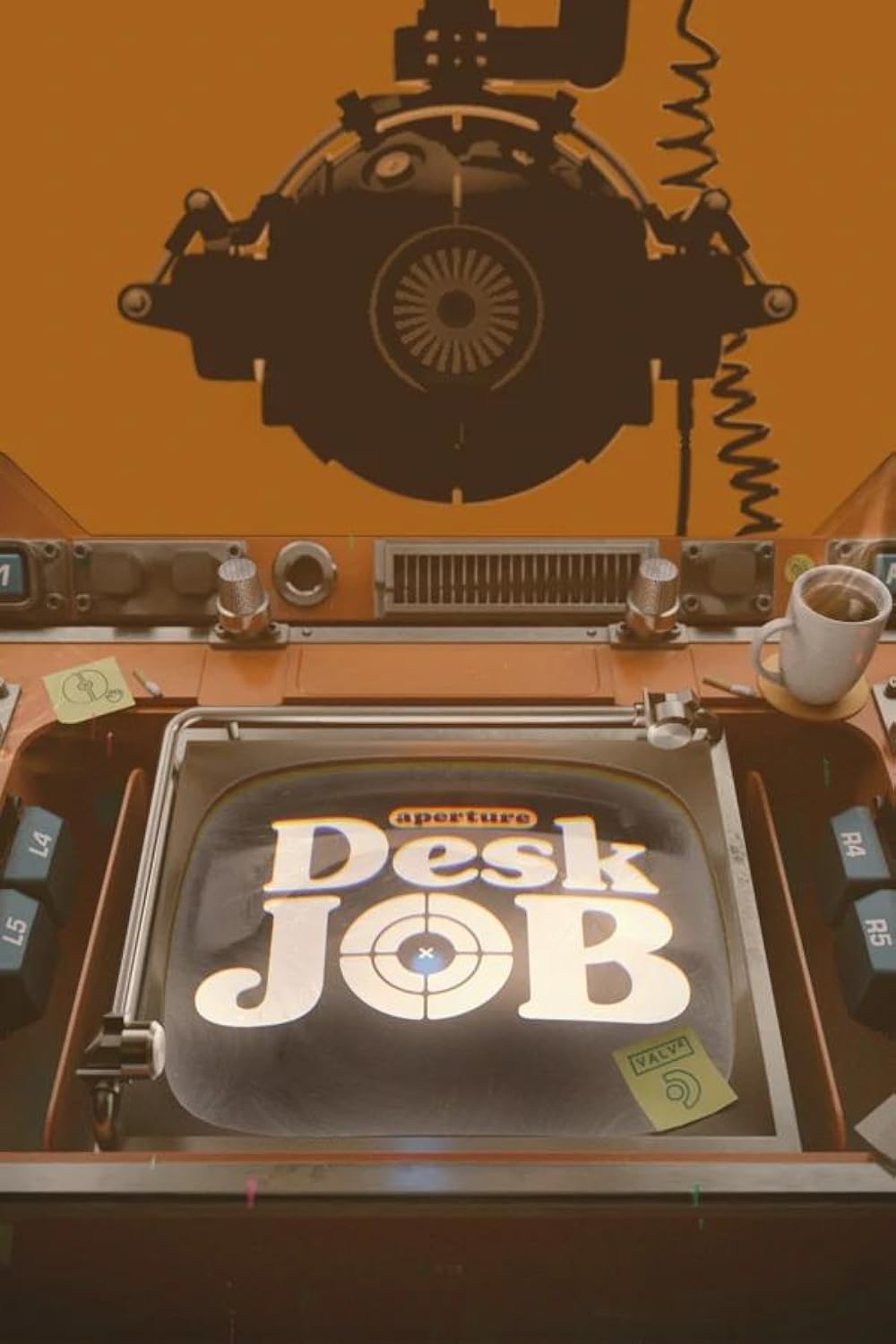
When hunting for budget-friendly titles, it is important to look beyond the $60 AAA releases. Many indie darlings and older classics run flawlessly on handheld hardware while costing a fraction of the price. The tradeoff here is usually between graphical fidelity and performance efficiency. A game like Hades 2 or Aperture Desk Job offers high production value without draining the battery or requiring complex settings tweaks, making them ideal for portable play.
Condition and age also play a role in value. Revisiting proven hits from previous years often yields better performance on handheld chips than chasing the latest tech demos. Look for games that have been optimized for Steam Deck verification, as these tend to run smoother on lower-end hardware without needing manual configuration.


As an Amazon Associate, we may earn from qualifying purchases.
Ultimately, the best budget handheld games are those that respect your time and hardware. Prioritize titles with strong community support for optimization and a clear core loop that doesn't require massive open worlds to be enjoyable.
Shortlist real options
Choosing the right handheld PC game in 2026 means balancing performance demands with the specific hardware you own. The Steam Deck, ROG Ally, and newer devices like the ROG Xbox Ally X handle different workloads differently. A game that runs smoothly on a high-end OLED model might struggle on a base unit or a device with limited battery life.
Rather than listing every title in the Steam catalog, we have narrowed the field to the strongest contenders for handheld play this year. These selections prioritize native optimization, efficient resource usage, and proven stability on SteamOS and Windows handhelds. The goal is to help you pick titles that look good and run well without constant tweaking.
We have compared the top picks across four key metrics: visual fidelity, battery efficiency, control scheme compatibility, and overall polish. The table below breaks down why these specific games made the cut for 2026.
| Game | Visuals | Battery Life | Controls |
|---|---|---|---|
| Hades II | Stylized 2D, runs at 60fps on most devices | Excellent, low GPU stress | Perfect for d-pads and analog sticks |
| Planet of Lana 2 | Cinematic 3D, requires strong GPU for high settings | Moderate, drains faster in 3D environments | Works well with gyro aiming |
| Aperture Desk Job | Clean 3D, optimized for SteamOS | Good, short play sessions help conserve charge | Point-and-click friendly for touch or controllers |
Inspect the expensive parts
Use this section to make the The Best Handheld PC Games to Play decision easier to compare in real life, not just on paper. Start with the reader's actual constraint, then separate must-have requirements from details that are merely nice to have. A practical choice should survive normal use, maintenance, timing, and budget. If a recommendation only works in an ideal situation, call that out plainly and give the reader a fallback path.
-
Verify the basicsConfirm the core specs, condition, and fit before comparing extras.
-
Price the downsideLook for the repair, maintenance, or replacement cost that would change the decision.
-
Compare alternativesCheck at least two comparable options before treating one listing as the benchmark.
Plan for ownership costs
A handheld PC is only as affordable as your willingness to maintain it. The hardware itself is a one-time purchase, but the ecosystem demands ongoing investment in storage, repairs, and accessories. When a cheap buy stops being cheap, it’s rarely the console—it’s the hidden fees that pile up over time.
Storage upgrades are mandatory
Most base models ship with 256GB or 512GB of storage. Modern AAA titles like Cyberpunk 2077 or Starfield easily exceed 100GB each. You will outgrow that space within months. Buying a high-speed microSD card or an NVMe SSD upgrade is not optional; it’s the first real ownership cost. A 1TB card costs roughly $60–$100, while a compatible SSD can run $150+. Factor this into your initial budget, or you’ll be deleting games constantly.
Repair and battery replacement
Handhelds take a beating. Screens crack, joysticks drift, and batteries degrade after 2–3 years of heavy use. Official repair services are expensive and often void warranties. Third-party repair shops vary in quality, and DIY repairs require specific tools and risk further damage. Set aside a contingency fund of 10–15% of the device’s price for potential repairs. Battery replacement is inevitable; a new cell costs $30–$50 if you do it yourself, or $100+ if you pay a shop.
Essential accessories
You can’t play for hours on the built-in speakers or without protection. A good case costs $20–$40. A high-quality USB-C hub for docking costs $30–$60. If you game on the go, a fast-charging power bank is essential, adding another $40–$80. These aren’t luxuries; they’re necessities for a functional experience.


As an Amazon Associate, we may earn from qualifying purchases.
The bottom line
If you buy a $400 handheld and spend $200 on storage, accessories, and repairs, your effective cost is $600. Compare that to a $600 console that includes a controller, HDMI cable, and no storage worries. Handheld PCs offer flexibility and library access, but they demand a more thoughtful approach to ownership costs. Budget for the extras from day one.
Handheld pc games 2026: what to check next
Can I play PC games on the Steam Deck?
Yes. The Steam Deck runs SteamOS, a Linux-based operating system that natively supports thousands of games through Proton compatibility layers. You can install and play your existing Steam library, as well as titles from other storefronts like Epic Games or GOG, by adding them as non-Steam shortcuts. Performance varies by title, but many AAA games run smoothly at 30-60 fps with minor tweaks.
Which handheld is better for gaming: Steam Deck or ROG Ally?
The Steam Deck excels in battery life and software polish, offering a plug-and-play experience out of the box. The ROG Ally provides more raw graphical power and a higher-refresh-rate screen, making it better for demanding titles, but it consumes battery faster and requires more manual configuration for optimal performance. Choose the Steam Deck for convenience and the Ally for maximum visual fidelity.
Do handheld PCs support controller inputs?
All major handheld PCs, including the Steam Deck, ROG Ally, and Lenovo Legion Go, are designed with built-in controllers that integrate seamlessly with PC gaming. Steam Input allows you to remap buttons, adjust touchpad sensitivity, and create custom profiles for any game, ensuring that even titles not originally designed for controllers feel responsive and natural.
Can I use my handheld PC as a desktop replacement?
Handheld PCs can function as desktop replacements when connected to an external monitor, keyboard, and mouse via USB-C hubs or docking stations. They support multi-monitor setups and offer full desktop operating systems (Windows or SteamOS), allowing you to browse the web, edit documents, or run creative software just like a laptop.
No comments yet. Be the first to share your thoughts!