Cloud gaming 2026 budget
Finding the right cloud gaming setup in 2026 means balancing subscription costs, hardware limitations, and internet reliability. The market has shifted from pure novelty to a practical alternative for players who cannot afford high-end PCs or consoles. If you are on a tight budget, you need to look beyond the monthly fee and consider the hidden costs of latency and device compatibility.
For many users, the entry point is a standard streaming stick or a low-end laptop. Services like Xbox Cloud Gaming and GeForce Now offer free tiers or low-cost subscriptions, allowing you to test the waters without a major commitment. However, these options often come with queue times or lower resolution caps. If you play competitive shooters or fast-paced action games, the tradeoff in input lag might be too steep for your budget.
Alternatively, some users opt for full cloud desktop services like Vagon. These provide a proper Windows machine with a dedicated GPU in the browser. While this offers more flexibility for modding or running non-cloud-native titles, the monthly cost starts around $9.99 and scales up quickly with better hardware. This path is better suited for productivity or heavy gaming sessions rather than casual play.
When evaluating your budget, check if your current device supports the service you want. A $50 Chromebook can run many cloud games, but it will struggle with the best visual fidelity. Prioritize services that offer cross-platform saves so you can switch between devices without losing progress. This flexibility maximizes the value of your subscription, ensuring you get the most out of every dollar spent.
Shortlist real options
Choosing a cloud gaming service in 2026 comes down to three factors: which games you already own, your internet stability, and whether you need a full desktop environment. The market has fragmented into dedicated gaming streams, console subscriptions, and virtual machines.
We compared the strongest providers on price, latency, and library access. The right choice depends entirely on your current hardware situation. If you already have a library of Steam or Epic games, GeForce Now is the most cost-effective path. If you prefer a console-like experience with a large first-party catalog, Xbox Game Pass is the standard. For users who need a full Windows PC for work or gaming, Vagon and Shadow offer desktop access.
The table below breaks down the core differences between the top contenders. Prices reflect standard monthly tiers as of mid-2026.
| Service | Monthly Price | Game Library | Best For |
|---|---|---|---|
| GeForce Now | $10–$25 | Your own Steam/Epic/Battle.net games | PC owners with existing libraries |
| Xbox Cloud Gaming | $17 (Game Pass Ultimate) | Xbox Game Pass catalog + owned titles | Console-style access & first-party titles |
| Vagon | $9.99+ | Full Windows PC (install anything) | Full desktop access + gaming |
| Shadow | $30–$45 | Full Windows PC (install anything) | High-end dedicated cloud PC |
| PS Plus Premium | $18–$18 | Sony catalog + PS4/PS5 classics | PlayStation exclusives on non-Sony devices |
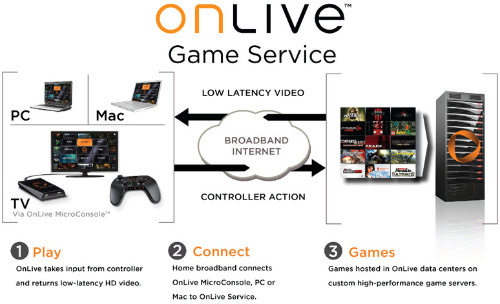
GeForce Now remains the leader for performance if you already buy games on PC. It streams the game from NVIDIA servers, so your local hardware only needs to decode video. This means you can play demanding titles on a Chromebook or a low-end laptop. The catch is that you must purchase every game separately through third-party stores.
Xbox Cloud Gaming has grown into a viable standalone service. With Game Pass Ultimate, you get access to hundreds of titles without buying them individually. This model is ideal for players who prefer subscription access over ownership. Latency has improved significantly, making competitive shooters more playable on mobile devices and smart TVs.
For those who need more than just gaming, Vagon and Shadow provide full Windows environments. Vagon is cheaper and flexible, allowing you to scale resources up or down. Shadow offers a more consistent, always-on desktop experience but at a higher price point. These services are best for professionals who need a powerful PC on the go, with gaming as a bonus feature.


As an Amazon Associate, we may earn from qualifying purchases.
Inspect the expensive parts
Cloud gaming shifts the hardware burden to the server, but that doesn't make your client device irrelevant. When the stream breaks, you need to know if the bottleneck is your local network, your endpoint hardware, or the service provider. This inspection checklist targets the components most likely to cause expensive downtime or poor performance.
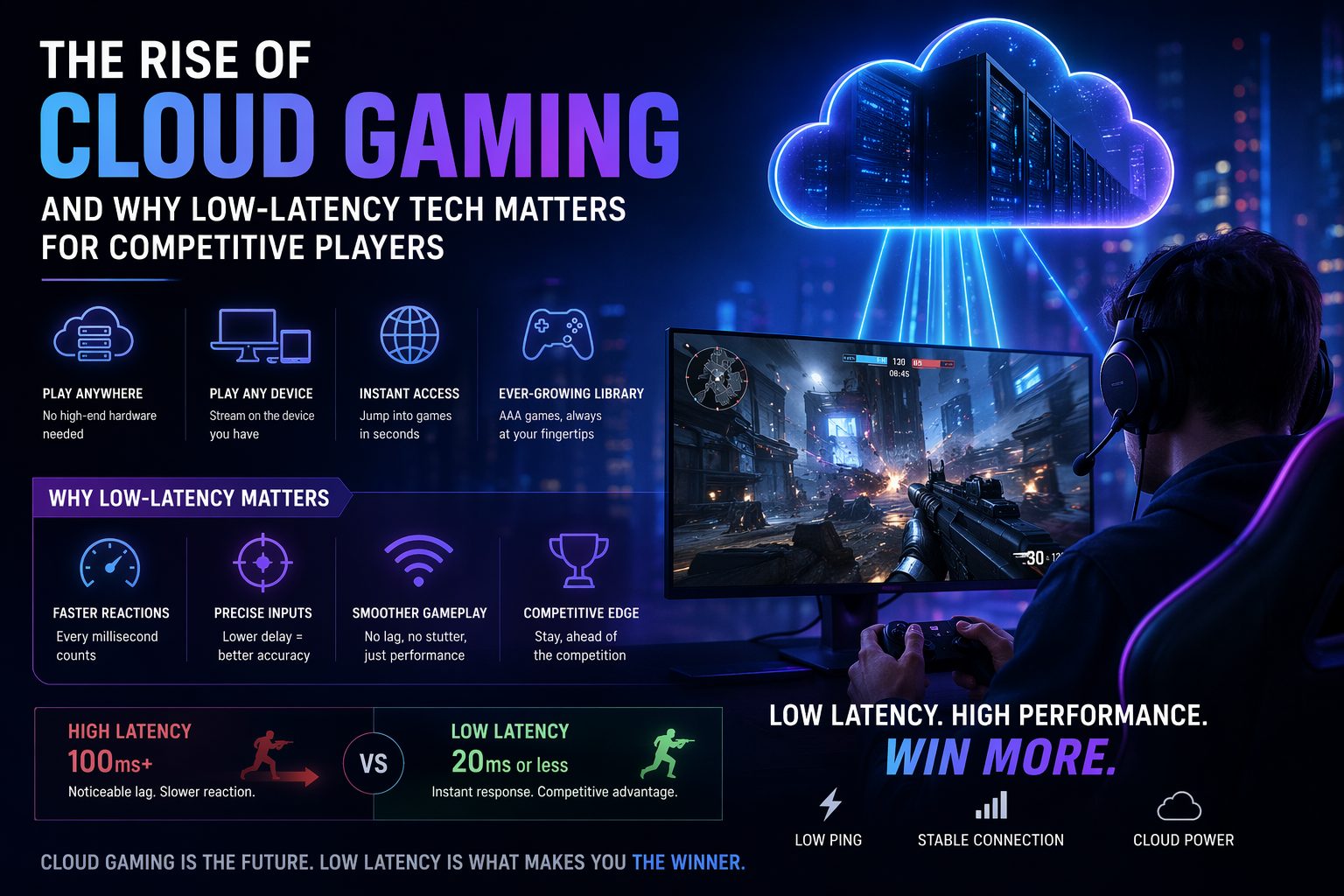
Verify your connection using a wired Ethernet link whenever possible. Wi-Fi introduces interference that causes packet loss, leading to visual stuttering even if your average bandwidth looks sufficient. Run a speed test that measures latency and jitter, not just download speed. Aim for under 20ms latency and minimal jitter for competitive play.
Your device only needs to decode video, not render it. Check that your CPU or GPU supports the necessary hardware decoders for H.264 or H.265 codecs. An underpowered device will struggle to decode high-bitrate streams, causing audio desync or freezing. Ensure your browser or app is updated to the latest version for optimal codec support.
Measure the delay between pressing a button and seeing the action. Use a simple frame-by-frame video test or an online latency checker. If the delay exceeds 100ms, the experience will feel unresponsive. This is often caused by network congestion or inefficient server routing, so try switching servers if the option is available.
Review your subscription plan for hidden constraints. Many services cap session length at 4 or 6 hours for non-premium users, forcing frequent reconnections. Check for resolution limits, such as 1080p vs 4K, and whether ray tracing or high frame rates are locked behind higher tiers. These limits can make the service feel cheap if you weren't aware of them.
Ownership costs and maintenance surprises
The sticker price of a cloud gaming subscription is only the entry fee. The real cost comes from the infrastructure required to make that subscription work. If your internet connection is unstable, you aren't just paying for a service; you are paying for the frustration of dropped sessions and pixelated textures.
A cheap monthly plan stops being cheap when you factor in the hardware upgrades needed to stream effectively. Low-end routers often struggle with the latency sensitivity of real-time gaming, leading to input lag that no software patch can fix. You may find yourself replacing networking gear or upgrading your broadband plan to match the bandwidth demands of 4K streaming.
Maintenance is another hidden expense. Cloud services shift the burden of hardware repair to the provider, but they do not eliminate the need for device upkeep. Your local hardware—whether it is a smartphone, tablet, or laptop—still needs battery health monitoring and thermal management. Overheating devices will throttle performance, making a premium subscription feel like a budget one.
When evaluating a service, look beyond the monthly fee. Calculate the total cost of ownership over a year, including potential internet overage charges, necessary hardware upgrades, and the depreciation of the devices you use to stream. A service that costs $15 a month might be more expensive in the long run than a one-time console purchase if it requires constant infrastructure support.


As an Amazon Associate, we may earn from qualifying purchases.
Cloud gaming 2026: what to check next
We’ve rounded up the most common questions about cloud gaming in 2026. These answers address the practical trade-offs between cost, latency, and game libraries to help you decide if streaming is right for you.
No comments yet. Be the first to share your thoughts!