Cloud gaming 2026 budget
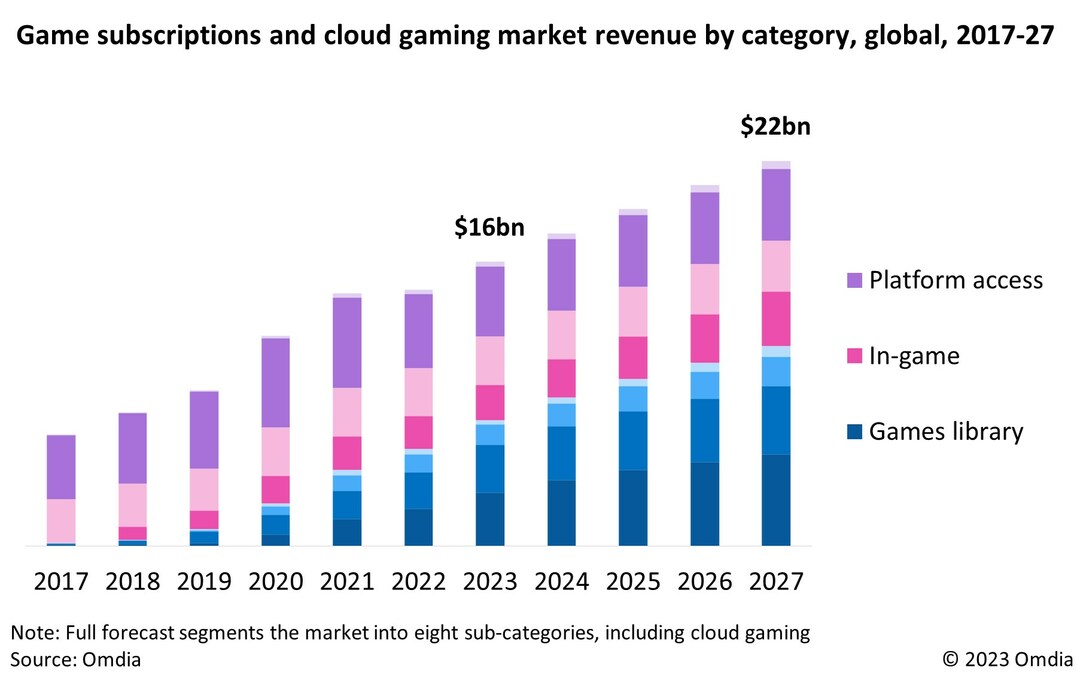
The 2026 cloud gaming market is projected to reach USD 8.24 billion in the U.S., driven by the shift from experimental beta phases to services that rival local hardware. This growth means more competition, but it also requires a clear-eyed look at the tradeoffs between price, age, and device condition. You are no longer paying for cutting-edge technology; you are paying for convenience and access.
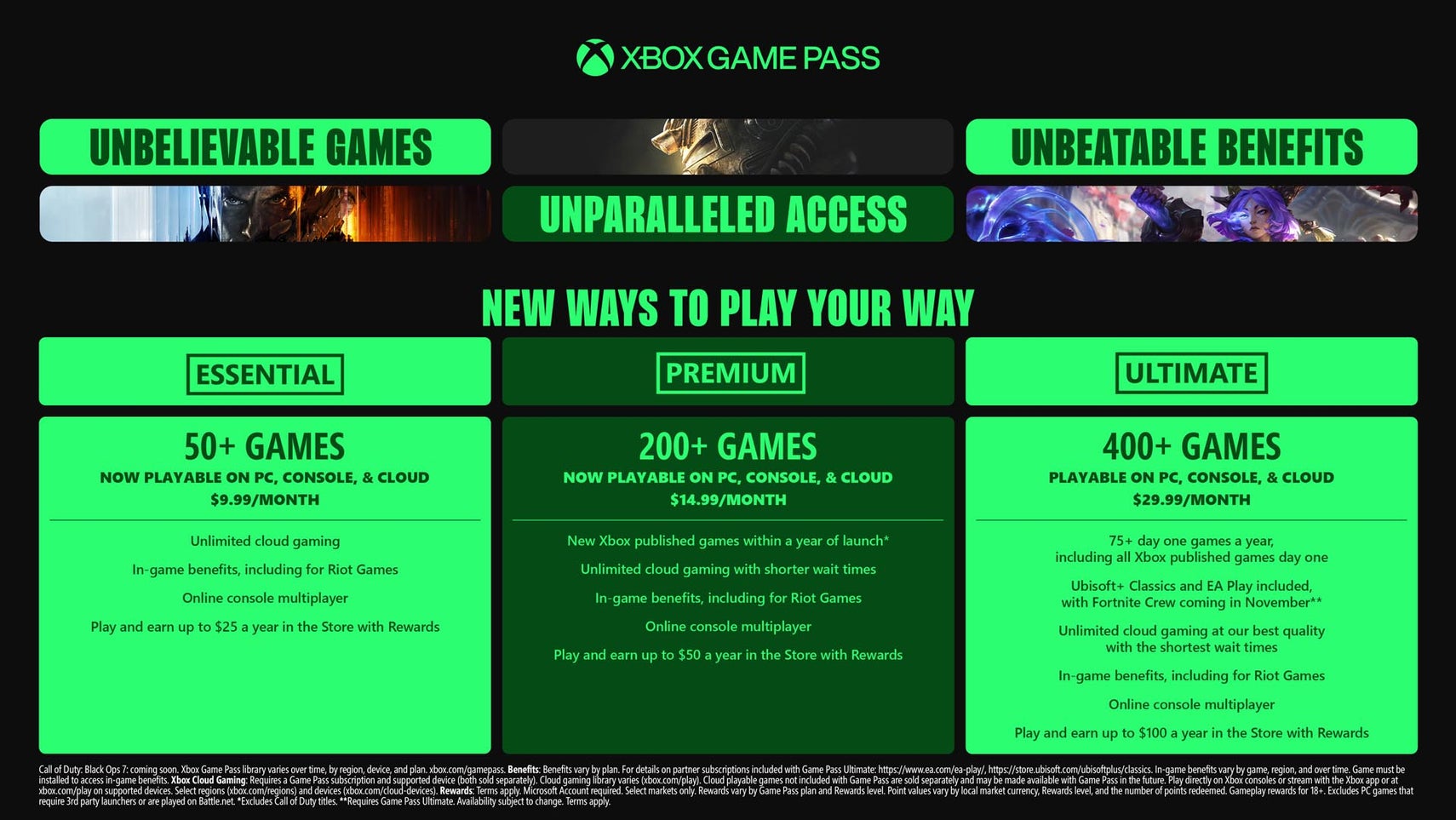
For those on a tight budget, the entry-level tier of Xbox Cloud Gaming (via Game Pass Core or Essential) offers a viable starting point. It provides access to a curated library of titles without the high cost of a new console. However, this comes with significant limitations. You are restricted to 1080p streaming on supported devices, and the library is smaller than the full Ultimate tier. If you are an older gamer or someone looking for a low-risk option on a secondary device, this is a practical choice.
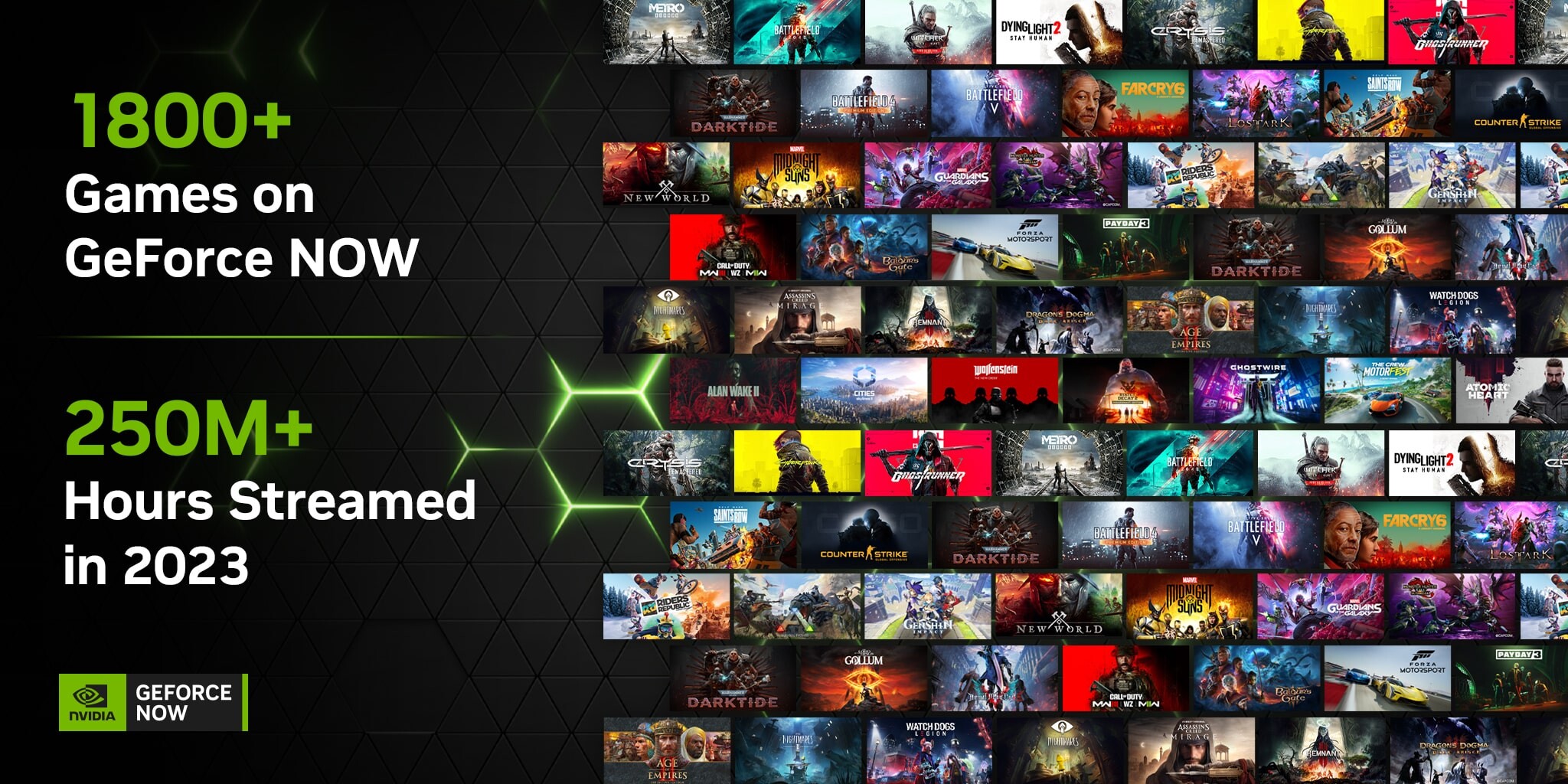
GeForce Now’s Free tier remains the most accessible entry point for PC gamers, but it comes with strict time limits and queue wait times. It is ideal for casual play or testing specific titles before purchasing them. For a more consistent experience, the Priority tier removes the queues and allows longer sessions, but it still requires you to own the games on Steam, Epic, or other platforms. This model is best for those who already have a library of digital purchases and want to play them on a low-end laptop or tablet.
PlayStation Plus Premium offers the most comprehensive console library, but it is the most expensive option. It is best suited for dedicated PlayStation users who want to play older PS3, PS4, and PS5 titles without buying new hardware. The value proposition here is high if you are already in the Sony ecosystem, but it offers little benefit to those using other platforms.
When choosing a budget-friendly option, consider your existing hardware and game libraries. If you have a decent PC but no console, GeForce Now is likely your best bet. If you want to play on a phone or tablet and don’t mind a smaller library, Xbox Cloud Gaming is a strong contender. For PlayStation loyalists, the Premium tier is worth the cost if you want access to the full back catalog.
As an Amazon Associate, we may earn from qualifying purchases.
Shortlist real options
The cloud gaming market has moved past the experimental beta phase to become a fully realized alternative to local hardware [1]. In 2026, the competition is no longer about whether streaming works, but which ecosystem fits your specific setup. We have narrowed the field to the three dominant players that currently offer the most reliable and feature-rich experiences.
Xbox Cloud Gaming leads in library depth, leveraging the massive Game Pass catalog to offer hundreds of titles for a single monthly fee. It is the most accessible entry point for casual players who want variety without buying individual games. GeForce Now, by contrast, acts as a high-performance terminal for games you already own on platforms like Steam and Epic. It is the choice for enthusiasts who want to play the latest AAA releases immediately, provided they already have the digital keys. PlayStation Plus Premium completes the trio, offering a unique bridge for console loyalists who want to access the PlayStation catalog on non-PlayStation devices like PCs and mobile phones.
Choosing the right service depends on your existing game library and the devices you intend to stream from. The table below breaks down the core differences in pricing, device support, and game access models to help you decide.
| Service | Starting Price | Game Access | Key Devices |
|---|---|---|---|
| Xbox Cloud Gaming | $9.99/mo | Included in Game Pass | Xbox, PC, Mobile |
| GeForce Now | Free / $9.99/mo | Bring Your Own | PC, Mac, Mobile |
| PlayStation Plus | $13.99/mo | Included in Tier | PS5, PC, Mobile |
While the market is growing rapidly, with predictions suggesting the U.S. sector alone could reach $8.24 billion by 2026 [2], the user experience remains the primary differentiator. Each of these services requires a stable high-speed connection, but their latency handling and image quality vary significantly based on your tier. We recommend testing the free tiers or introductory trials to see which interface feels most responsive on your specific internet provider before committing to a long-term subscription.


As an Amazon Associate, we may earn from qualifying purchases.
Inspect the expensive parts
Cloud gaming subscriptions are cheap until they aren't. The monthly fee is just the entry ticket. The real financial risk lies in the hidden costs of latency, data usage, and hardware limitations that can turn a $10 service into a frustrating, expensive hobby. Before committing to Xbox Cloud, GeForce Now, or PS Plus, run through this inspection checklist to ensure the subscription actually fits your infrastructure.
Most services require 15–25 Mbps for 1080p streaming. If you share a home network with streamers or large downloads, your effective bandwidth drops, causing pixelation and input lag. Run a speed test during peak hours, not just at midnight. If your connection fluctuates by more than 5 Mbps, cloud gaming will feel unstable regardless of the service tier.
Streaming 1080p cloud gaming consumes roughly 5–10 GB per hour. If you plan to play on 5G or cellular data, check your monthly cap. A single 3-hour session could eat 30 GB, potentially triggering overage fees or throttling that ruin the experience. Wi-Fi is non-negotiable for heavy cloud gaming use unless you have an unlimited data plan.
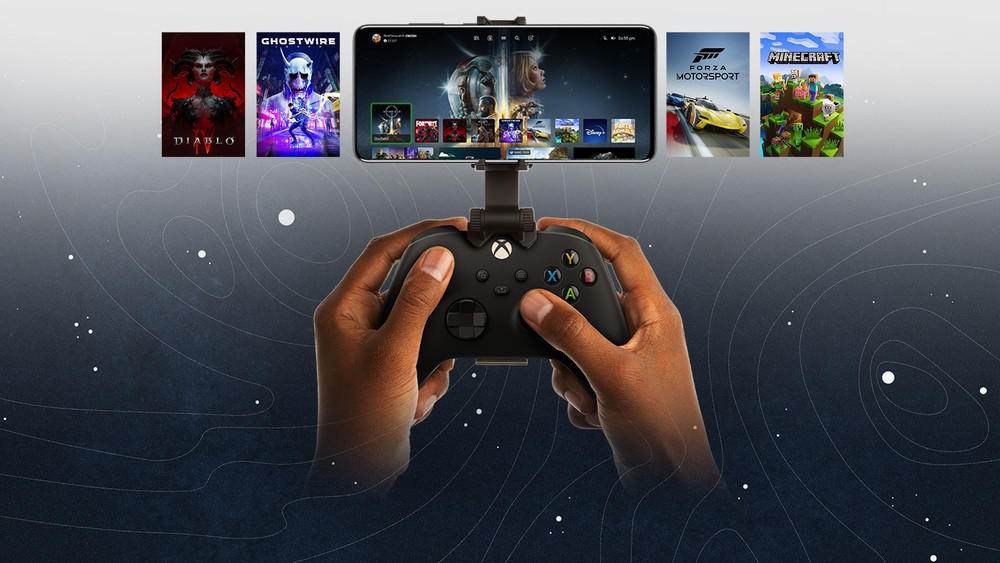
Not all controllers work with all services on all devices. Xbox Cloud Gaming works best with Xbox controllers on mobile and web. GeForce Now supports a wide range of Bluetooth controllers but requires specific pairing steps on iOS. PS Plus requires a PS5 controller on mobile and a specific setup on PC. Buying an unsupported controller is a wasted $60–$100. Check the service’s official compatibility list before buying hardware.
Don’t assume "cloud gaming" means "all games." Xbox Cloud is limited to Game Pass titles. GeForce Now lets you play games you already own on Steam or Epic. PS Plus is tied to the PlayStation ecosystem. If you have a library of 50 PC games, GeForce Now is your only viable option. If you want new releases like MLB 2026, check if they are included in the specific tier you are considering. Game purchase requirements vary wildly.
Ethernet is the gold standard for cloud gaming. If you must use Wi-Fi, ensure you are on 5 GHz, not 2.4 GHz. 2.4 GHz is crowded and prone to interference from microwaves and neighbors, causing the stuttering that makes cloud gaming unplayable. A simple Ethernet cable or a powerline adapter can often fix latency issues that no subscription tier can resolve.
The difference between a smooth cloud gaming experience and a frustrating one often comes down to these infrastructure checks. By verifying your bandwidth, data caps, and hardware compatibility upfront, you avoid the expensive mistake of subscribing to a service your network can’t support.
Plan for ownership costs
Cloud gaming removes the upfront cost of a $500 console or a high-end PC, but that savings shifts over time. You are paying for access rather than owning hardware. This shift can be beneficial for casual players, but it creates a different kind of financial lock-in.
The primary cost is the recurring subscription. Services like Xbox Cloud Gaming, GeForce Now, and PS Plus require monthly or annual fees to keep playing. Unlike a console that retains resale value for years, a subscription is a pure expense. If you stop paying, you lose access to the games immediately. Over three to five years, these fees can add up to more than the cost of buying a dedicated device.
There are also hidden costs to consider. High-quality cloud gaming demands a stable, high-speed internet connection. If you need to upgrade your home router or pay for a higher-tier internet plan to handle the data load, that adds to your total cost of ownership. Additionally, you may need to buy compatible controllers if your current ones aren't supported natively by the platform.
When is it worth it? If you play less than 10 hours a week or switch between multiple genres frequently, the flexibility of cloud gaming usually outweighs the long-term subscription costs. However, if you are a dedicated gamer who plays the same few titles daily, buying a console or building a PC is often the cheaper option in the long run.


As an Amazon Associate, we may earn from qualifying purchases.
No comments yet. Be the first to share your thoughts!